Shopify makes it easy to launch a store. It does not make it easy to grow one.
Once orders start coming in, the to do list explodes: product updates, SEO, speed, apps, ads, email, fulfillment, and support. Suddenly you are running a warehouse instead of a brand.
Learning how to manage a Shopify store properly is what stops that weight from crushing the brand, and it is mostly a question of rhythm rather than effort.
This guide covers how to manage a Shopify store day to day: the weekly jobs, what to automate, what it really costs, and how to know when it is time to hand the store to a specialist.
Key Takeaways
- Managing a Shopify store is the ongoing work that keeps it selling and growing after launch.
- It spans design, catalog, SEO, conversion, speed, marketing, fulfillment, and analytics.
- Fix conversion and speed before you spend more on traffic.
- Watch margin as closely as revenue, or growth can quietly lose money.
- Most growing brands are best served by a specialist, not a lone in-house hire.

What Does Managing a Shopify Store Actually Involve?
Managing a Shopify store is the ongoing work of running and improving a Shopify store so it keeps selling and growing. It covers everything after launch, from product updates and SEO to speed, marketing, and fulfillment.
Think of your store as a shop on the busiest street in town. Someone has to restock shelves, fix the lights, greet customers, and count the till, every single day.
It is a core part of full ecommerce management, and for most growing brands it is the difference between a store that plateaus and one that compounds.
How to Manage a Shopify Store Week to Week
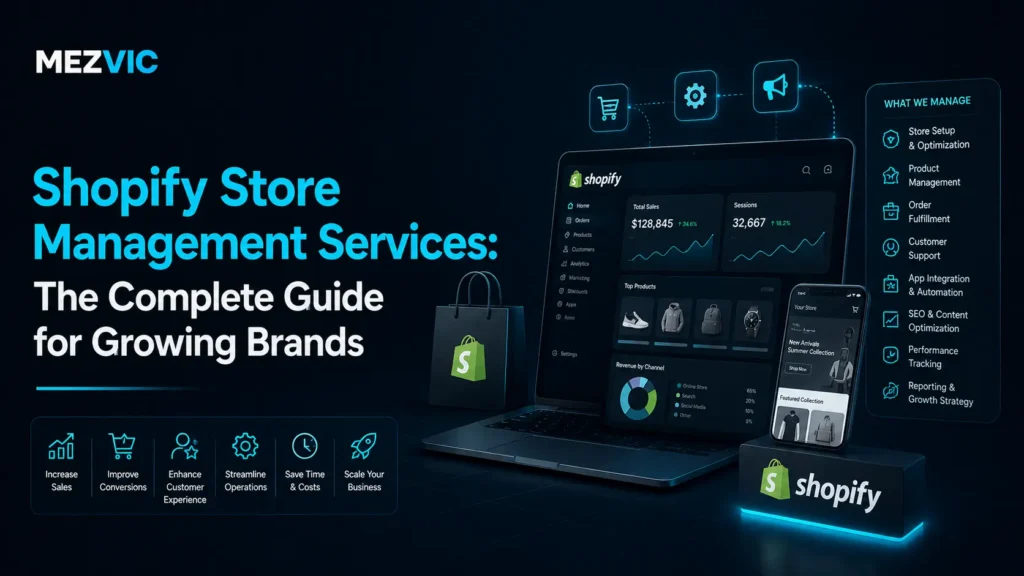
The job covers the full lifecycle of a store, not one task. A complete engagement usually spans eight areas.
- Store setup and design that looks premium and converts.
- Product and catalog management across collections and variants.
- SEO and content so people find you on Google and AI search.
- Conversion optimization to lift revenue from the traffic you have.
- Speed and performance tuning for Core Web Vitals.
- Marketing, email, and apps that bring buyers back.
- Order fulfillment and operations that scale cleanly.
- Analytics and reporting so decisions are based on data.
Let us walk through the ones that move revenue the most.
Store Setup and Design
Your store design is your first impression, and shoppers judge it in seconds. A clean, fast, trustworthy design does more for conversion than any single app.
Good management keeps the theme tidy, the navigation simple, and the product pages persuasive. When bigger changes are needed, that is where dedicated Shopify development comes in.

Product and Catalog Management
As a catalog grows, small messes turn into big problems. Duplicate products, broken variants, and thin descriptions quietly cost you sales. Once the catalogue passes a few hundred items, keeping it accurate becomes a data job rather than a Shopify one, which is product listing work.
Store management keeps the catalog clean: accurate inventory, clear titles, rich descriptions, and collections that guide shoppers to the right product fast.
Shopify SEO and Content
Paid ads stop the moment you stop paying. SEO keeps working, which is why it is one of the highest return parts of the job. Product copy nobody finishes reading costs sales quietly, so run key pages through our free readability checker.
That means optimized product and collection pages, a real content strategy, and clean technical foundations. Focused Shopify SEO is what turns your store into a channel that compounds.

Conversion Rate Optimization
Doubling your conversion rate is the same as doubling your traffic, for free. Conversion optimization squeezes more revenue out of the visitors you already have.
It is the small things done consistently: clearer calls to action, better product images, trust badges, faster checkout, and honest reviews. Each one nudges the numbers up.
Site Speed and Performance
A slow store loses sales and rankings at the same time. Shoppers abandon pages that lag, and Google rewards ones that load fast.
Store management keeps apps trimmed, images compressed, and Core Web Vitals healthy. You can check your own store in seconds with a free page speed checker, then fix what it flags.
When the store needs deeper work, targeted Shopify speed optimization gets it back into the green.
Marketing, Email, and Apps
Getting a first sale is expensive. Getting a second one is cheap, if you have the systems for it. If you are buying traffic before the store converts, read eCommerce PPC before scaling spend.
Store management runs the email flows, abandoned cart recovery, and loyalty tactics that bring buyers back. Layer in Shopify marketing and your best customers keep spending.

Order Fulfillment and Operations
Growth breaks operations first. Orders pile up, stock runs out, and shipping slips, right when you can least afford it.
Store management keeps fulfillment smooth: syncing inventory, managing suppliers, and setting up processes that scale without chaos.

Analytics and Reporting
You cannot grow what you do not measure. Store management turns raw Shopify data into decisions.
That means tracking the numbers that matter: conversion rate, average order value, customer lifetime value, and return on ad spend. The report is only useful if it changes what you do next.
Knowing Your Numbers: Pricing and Margins
Revenue is vanity. Margin is sanity. A store can grow sales and still lose money if the unit economics are wrong.
Good management watches margin as closely as revenue. Before you set a price or launch a product, run the math with a free profit margin calculator so you know the deal actually works.
In-House or Outsourced: Who Should Run the Store?
You have three real options for running the store, and the right one depends on your stage and budget.
| Option | Best for | Trade-off |
|---|---|---|
| Do it yourself | Early stage, tight budget | Your time is the cost, and it is your scarcest asset |
| In-house hire | Established brands with volume | Expensive, and one person rarely covers every skill |
| Agency or specialist | Growing brands that want a full team | A monthly fee, offset by the time and revenue it returns |
Most growing brands outgrow doing it themselves long before they can justify a full in-house team. That gap is exactly where a specialist earns its keep.

What Does It Cost to Manage a Shopify Store?
Outsourced help is usually priced as a monthly retainer, scaled to your store’s size and the scope of work. Smaller stores sit at the low end, high volume stores at the higher end.
The better question is not the cost. It is the return.
If management lifts your conversion rate, recovers abandoned carts, and frees your time for growth, it pays for itself many times over. Judge it on outcomes, not the invoice.
Signs You Have Outgrown Managing It Yourself
Not sure if it is time? A few signs make it obvious.
- You spend more time on store admin than on your actual product.
- Traffic is fine, but sales are flat.
- Your store feels slow and you are not sure why.
- You have a backlog of fixes you never get to.
- You are guessing instead of using your data.
If two or more of those sound familiar, management will likely pay for itself quickly.
Moving to Shopify From Another Platform
Sometimes the smartest management decision is a fresh start on Shopify. Brands move from WooCommerce, Magento, or a dated custom build to get an easier, more scalable store.
The risk is losing rankings and traffic in the move. A careful Shopify migration protects your SEO with proper redirects and a clean data transfer.
What Good Store Management Looks Like
The best sign of good management is boring in the best way. The store just works, and the numbers keep climbing.
We have designed, built, and grown online stores from zero, and the pattern is always the same. Clean foundations, steady optimization, and relentless attention to the numbers.
You can see that approach in action across our case studies, where brand new stores grew into real, ranking businesses.
Which Shopify Apps Actually Matter?
The Shopify app store is a trap. It is easy to install a dozen apps, slow your store to a crawl, and pay for features you never use. App conflicts and the slow drift that breaks a store months after launch belong to ongoing maintenance.
Anyone who knows how to manage a Shopify store is ruthless about apps. Every one has to earn its place, in both features and speed cost.
The essentials are usually simple: reviews, email, a fast search, and analytics. Everything else has to justify the load it adds.
Fewer, better apps almost always beat a bloated stack.
How This Changes by Business Type
Store management is not one size fits all. What a store needs depends on what it sells.
Single product brands live or die on one product page and a tight match between the ad and the landing page.
Large catalogs need clean collection structure, strong search, and merchandising so shoppers find things fast.
Subscription brands lean on retention, email, and lifetime value far more than one off conversion.
A good manager tailors the work to your model instead of running a generic checklist.
Common Mistakes When Managing a Shopify Store
Most struggling Shopify stores share the same fixable mistakes. Avoid these and you are ahead of most competitors.
- Chasing more traffic while ignoring a weak conversion rate.
- Installing every app and never removing any.
- Leaving product pages thin and generic.
- Never touching SEO, then wondering why Google sends no traffic.
- Treating the store as finished the day it launches.
None of these are hard to fix. They just need someone whose job is to catch them.
How to Scale Without Adding Headcount
What works at 100 orders a month breaks at 1,000. Scaling a store is about building systems, not just working harder.
That means documented processes, automation for repetitive tasks, and clear ownership of each area. The goal is a store that runs on rails, not on heroics.
As volume grows, the value of getting this right grows with it. A slow page or a stockout costs more every month.
What to Expect in the First 90 Days
Done well, this shows results quickly, then compounds. Here is a realistic arc for the first three months.
Month 1: Audit and quick wins
A full audit of speed, SEO, conversion, and operations, plus the fastest fixes that move numbers right away.
Month 2: Optimization
Deeper work on product pages, checkout, email flows, and content, all guided by what the data shows.
Month 3: Momentum
The improvements start stacking. Traffic, conversion, and repeat purchases move together, and the store finally feels like it is pulling its weight.
Is It Worth Paying Someone Else to Run It?
For a growing brand, almost always. The real cost of skipping it is the revenue you never see.
The slow page that lost a sale. The email flow you never built. The product page that never ranked. Those quiet losses add up fast.
Fixing them turns those losses into steady gains, and hands the founder back the time to actually grow the brand.
Does Shopify Plus Change Any of This?
Shopify Plus gives bigger brands more power. But power without management is just complexity. The rhythm does not change but the scale and the build do, which is covered on Shopify Plus development.
Larger stores need management more, not less. More traffic, more SKUs, and more revenue mean the cost of a single mistake is higher.
Plus stores get the same core work, plus advanced automation, checkout customization, and multi store or multi currency setups handled properly.
How to Choose Help Once You Need It
If you bring in help, choose carefully. The right partner feels like an extension of your team, not a vendor you chase for updates.
- They show real results and case studies, not just promises.
- They cover the full stack: design, SEO, speed, and marketing.
- They report on outcomes you care about, like revenue and conversion.
- They explain what they are doing in plain language.
- They move fast on quick wins and stay steady on the long game.
Ask any partner how they would grow your specific store. A good one will have real answers within minutes.
The Real Goal of All This
Strip away the tactics and managing a Shopify store has one job. It makes your store quietly excellent, so it sells more while you think about it less.
When it is done well, you stop firefighting. The store just works, the numbers climb, and your energy goes back into the brand and the product.
That is the whole point. Not more dashboards to watch, but fewer fires to fight.
Your First Move
You do not need to fix everything at once. The best first move is a simple, honest audit.
Check your store speed, your conversion rate, your top product pages, and your email flows. Rank the problems by how much revenue each one is quietly costing you.
Then fix the most expensive problem first. That single habit, repeated month after month, is what separates stores that grow from stores that stall.
Momentum is the real reward. Each fix makes the next one easier, so the store compounds instead of plateauing.
Do that consistently and the work stops feeling like a chore. It starts feeling like the growth engine it is meant to be.
What eight hours a week of store admin actually costs
Most owners underestimate this because it arrives in twenty minute pieces rather than in one block.
Straight arithmetic, not a study: 8 hours x 52 weeks. Swap in your own number and the point usually gets worse, not better.
A Weekly Rhythm You Can Actually Keep
Most owners do not have a management problem. They have a rhythm problem.
Everything gets checked when something goes wrong, and nothing gets checked when it does not. Here is a schedule that survives a busy month.
Daily, ten minutes. Orders that failed to pay, stock that hit zero, and anything sitting unfulfilled longer than your promise. Nothing else.
Weekly, one hour. New reviews, abandoned checkout rate, your five best sellers, and any product page that lost traffic. This is where conversion problems surface first.
Monthly, half a day. App audit, page speed, margins after fees, and a proper look at organic traffic rather than a glance at the dashboard.
Quarterly. Theme updates, a fulfilment review, and the honest question of whether your store design is still doing its job.
The daily list is deliberately short. A ten minute check you actually perform beats an hour long audit you skip for three weeks.
What to Automate First
Not every job on that list deserves your attention. Some deserve a system. Support volume is usually the first thing worth handing over, and the guide to AI chatbots for eCommerce covers what can safely go.
Start with the repetitive messages. Order updates, delivery questions and returns requests are the bulk of most inboxes, and an AI support chatbot handles them without a person reading the same question twice.
Next, the follow up nobody has time for. Abandoned checkouts, post purchase sequences and win-back flows are ordinary email automation and they run themselves once built.
After that, the joins between tools. Stock syncing, order routing and anything you currently copy between two tabs is workflow automation waiting to happen.
If you sell anywhere else as well, the same discipline applies across channels. That is covered on marketplace management, and the fulfilment half sits with eCommerce fulfilment.
What should stay manual is anything involving judgement: pricing decisions, supplier conversations, and the reply to a genuinely upset customer.
When the list finally outgrows you, that is the point to look at outsourced Shopify management rather than another late night.
Frequently Asked Questions
What does managing a Shopify store involve?
Managing a Shopify store is the ongoing work of running and improving a Shopify store, including product updates, SEO, speed, conversion optimization, marketing, fulfillment, and reporting. It covers everything that keeps a store selling after launch.
How much does it cost to manage a Shopify store?
Most agencies are priced as a monthly retainer based on your store size and scope. Smaller stores cost less, while high volume stores with more work cost more.
The return usually outweighs the fee when management lifts conversion and saves your time.
Can I manage my Shopify store myself?
Yes, especially early on. The challenge is that store management spans many skills, from SEO to design to operations, and it competes with the time you need for product and brand.
Many founders start solo and bring in help as they grow.
What is the difference between Shopify development and store management?
Shopify development is building or customizing the store, a project with a start and end. Store management is the ongoing work of running and improving that store over time. Most brands need both.
Will store management improve my Shopify sales?
It should. Good management improves the things that drive sales: conversion rate, site speed, SEO traffic, and repeat purchases. The gains compound because each improvement builds on the last.
How many Shopify apps is too many?
There is no fixed number, but every app should justify itself twice: once on its monthly fee and once on the page weight it adds. A useful test is to list every app and name the revenue or hours it saves. Anything you cannot answer for is a candidate for removal, and removing three usually does more for site speed than any optimisation plugin.
Should I customise my theme or use sections?
Use sections wherever the outcome is the same. Direct theme code edits are the reason so many stores run years-old themes: once you have customised the files, every update risks wiping the work, so nobody updates. Building through sections keeps you upgradeable, which matters more over three years than any single design tweak.
How often should I actually check my Shopify analytics?
Weekly for conversion and abandoned checkouts, monthly for anything strategic. Daily checking feels productive and mostly shows you noise, because normal variation between days is larger than most changes you make. The exception is a launch or a promotion, where daily monitoring is genuinely warranted for a short window.
Do I need Shopify Plus to run a serious store?
No. Most stores outgrow their processes long before they outgrow the standard plan. Plus earns its cost at genuine scale, with checkout customisation, higher API limits and multiple storefronts. If your bottleneck is that nobody has time to update the catalogue, upgrading the plan will not fix it.
What is the fastest way to improve a slow Shopify store?
Remove apps you no longer use, then compress and correctly size your images. Those two account for most of the weight on a typical store and neither requires a developer. Only after that does it make sense to look at theme code, because optimising a theme while five unused scripts still load is solving the smaller half of the problem.
The Bottom Line
Shopify gives you a world class store engine. What you do with it after launch decides whether it grows or stalls.
Knowing how to manage a Shopify store is how growing brands stay fast, findable, and profitable while the founder focuses on the business.
Want a clear read on what your store needs next? Book a free strategy call and we will audit your Shopify store live and show you the quickest wins.