Your ACoS went up last month. Your accountant is delighted.
That is not a typo, and it is the whole reason this comparison matters.
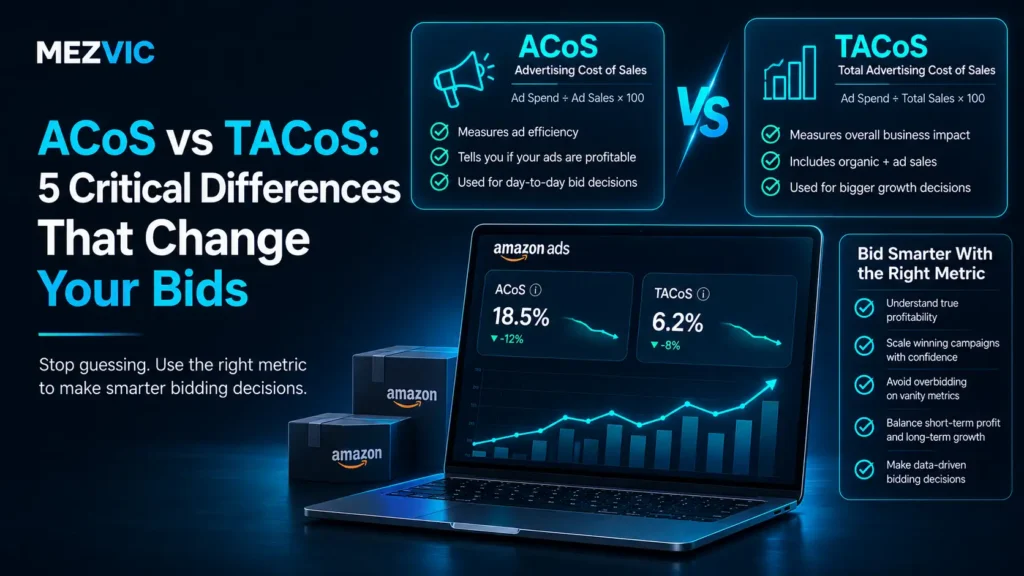
ACoS vs TACoS is not two ways of saying the same thing. They are two different questions, and they routinely give opposite answers about the same campaign.
One asks whether your advert worked. The other asks whether your business is getting healthier.
Get ACoS vs TACoS the wrong way round and you will make confident decisions with the wrong instrument.
Sellers who only watch the first one switch off campaigns that were quietly building their organic ranking. Then they wonder why sales fell off a cliff two months later.
In this guide, you will learn:
- What each metric can and cannot see
- Why only one of them appears in Amazon’s dashboard
- The attribution window that makes ACoS look worse than reality
- The pattern that means your ads are working perfectly
- Which number to actually change your bids on
Key Takeaways
- ACoS is ad spend divided by ad-attributed sales. Amazon reports it for you.
- TACoS is ad spend divided by total sales, paid and organic combined.
- TACoS is not an Amazon metric. It does not appear in the console, so you calculate it yourself.
- ACoS is the inverse of ROAS, which Amazon states directly.
- For sellers, Sponsored Products attribution is only 7 days, so later sales never get credited.
- Sponsored Brands and Sponsored Display run on 14 days for sellers.
- Your break-even ACoS equals your profit margin before ad costs. Above it, each ad sale loses money.
- A flat ACoS with a falling TACoS is the healthiest pattern in Amazon advertising.
- A falling ACoS with a rising TACoS usually means your organic sales are dying.
- ACoS cannot see organic revenue at all, which is often 70% of the total.
- Use ACoS to set bids on individual keywords. Use TACoS to decide the total budget.
- Neither number is meaningful until you know your product margin.
The Two Formulas, Side by Side
The whole ACoS vs TACoS argument comes down to one thing: both are simple division, and the difference is entirely in the bottom half.
| ACoS | TACoS | |
|---|---|---|
| Formula | Ad spend ÷ ad sales | Ad spend ÷ total sales |
| Answers | Did this campaign pay? | Is the business getting healthier? |
| Reported by Amazon | Yes, in Campaign Manager | No, you calculate it |
| Sees organic sales | No | Yes |
| Best for | Keyword and bid decisions | Total budget decisions |
| Good direction | At or below break-even | Falling over time |
Amazon’s own example is as plain as it gets: spend $20 on a campaign, generate $100 in sales, and your ACOS is 20%.
TACoS takes the same $20 and divides it by everything you sold that month, including the sales nobody clicked an advert to reach.

6 numbers to check before you change a bid
Changing a bid on ACoS alone is the most common mistake in Amazon advertising. These six together tell you what the number actually means.
decision
Left column is what the campaign costs you. Right column is what the campaign is building.
ACoS vs TACoS: 5 Critical Differences
1. ACoS Cannot See Most of Your Revenue
In ACoS vs TACoS, this is the difference everything else grows out of.
ACoS divides your ad spend by ad-attributed sales only. Every organic sale you made that month is invisible to it.
For a healthy product, organic is usually the larger share by a wide margin.
What ACoS measures, and what it ignores
A month with $28,000 in total sales, of which $8,000 came through ads. ACoS only ever looks at the smaller slice.
Arithmetic, not a study: 8,000 and 20,000 as shares of 28,000. Your own split will differ; run it on last month’s figures.
Now imagine that campaign has an ACoS of 25% and someone decides that is too high.
They pause it. The $8,000 goes. So, eventually, does a good chunk of the $20,000, because the ads were feeding the sales velocity that kept the product ranking.
That is the classic own goal, and it is entirely invisible if ACoS is the only number on your screen.
Working out your real margin first is what keeps this decision honest. Our Amazon ACoS calculator does that part in a few seconds.
2. One Is Amazon’s Metric, the Other Is Yours
A practical ACoS vs TACoS difference that catches new sellers out.
Amazon states that ACOS is available in the campaign manager and through downloadable reports. It is calculated for you, refreshed for you, and sitting there every morning.
TACoS is not an Amazon metric. You will not find it in the console, because Amazon reports on advertising, not on your whole business.
So you build it yourself, once a month:
- Take total ad spend for the month from Campaign Manager.
- Take total ordered product sales from your Business Reports.
- Divide the first by the second, then multiply by 100.
- Write it in a spreadsheet next to last month’s.
Step four is the one that matters. A single TACoS reading tells you almost nothing. The direction over six months tells you everything.
3. They Move in Different Directions, on Purpose
Here is the ACoS vs TACoS pattern every Amazon seller should be able to recognise on sight.
Take a product where you spend exactly $2,000 a month on ads, and those ads reliably return $8,000 in sales. Your ACoS is 25%, month after month, unchanging.
Meanwhile the ads are doing their real job: driving sales velocity, which lifts your organic ranking, which brings in sales you did not pay for.
That loop is the entire point of advertising a product you intend to keep selling, and it is why organic ranking work and paid spend belong in the same conversation.
Flat ACoS, falling TACoS
Six months at a constant $2,000 ad spend returning a constant $8,000 in ad sales, while organic sales grow from $0 to $20,000.
Arithmetic, not a study: $2,000 divided by $8,000 gives 25% every month, while $2,000 divided by total sales of $8,000 rising to $28,000 gives 25% falling to 7.1%.
Look at the orange line. Flat as a pancake for six months.
Anyone judging that campaign on ACoS would say it never improved. Anyone looking at the blue line would say the business tripled.
Both are correct. Only one of them is worth acting on.
The four combinations, and what each one means:
| ACoS | TACoS | What it means | Do this |
|---|---|---|---|
| Flat | Falling | Ads are building organic sales. The best case. | Keep going, consider spending more |
| Rising | Falling | Ads cost more but the business is growing faster | Fine. Watch your margin |
| Falling | Rising | Organic sales are shrinking. The worst case. | Investigate the listing, not the campaign |
| Rising | Rising | Spending more for less on both counts | Pause and audit before adding budget |
Row three deserves a moment, because it is the ACoS vs TACoS combination that fools the most people. A falling ACoS with a rising TACoS usually means your total sales are dropping faster than your ad performance is.
The campaign looks like it is winning. The patient is not.
When that happens, the answer is almost never in the bids. It is usually a listing problem, a stock problem or a competitor problem, and the place to start is your product listing itself.

4. ACoS Only Counts Sales Inside a Short Window
This one is genuinely under-discussed in ACoS vs TACoS comparisons, and it means your reported figure is probably flattering nobody.
A sale only counts toward ACoS if it happens inside the attribution window after the click. Miss the window and the sale still happened, it just never gets credited to the campaign that caused it.
| Ad type | Sellers | Vendors |
|---|---|---|
| Sponsored Products | 7 days | 14 days |
| Sponsored Brands | 14 days | 14 days |
| Sponsored Display | 14 days | 14 days |
Seven days is short. Anyone selling considered purchases knows buyers browse for a fortnight, ask a partner, sleep on it, then buy.
Your advert genuinely caused that sale. Your ACoS will never know.
TACoS does not have this problem, because it never tries to attribute anything. It just divides your spend by everything you sold.
Which is a slightly blunt instrument, admittedly. But a blunt instrument that counts every sale beats a precise one that misses the slow buyers entirely.
Where ROAS Fits Into ACoS vs TACoS
A quick detour, because someone always asks.
ROAS is return on ad spend, and Amazon states plainly that it is the inverse of ACOS. One divides spend by sales, the other divides sales by spend.
So they carry identical information, just pointed in opposite directions.
| ACoS | Same thing as ROAS | Meaning |
|---|---|---|
| 10% | 10x | Very efficient |
| 20% | 5x | Comfortable for most margins |
| 25% | 4x | Fine at 40% margin, fatal at 20% |
| 50% | 2x | Only defensible during a launch |
| 100% | 1x | Every dollar of sales cost a dollar |
Pick whichever one your brain prefers and stop worrying about it. Percentages feel like costs and multiples feel like returns, which is mostly a matter of temperament.
What ROAS cannot do is anything TACoS does. It is still trapped inside the campaign, looking at attributed sales only, so it inherits every blind spot on this page.
5. Only One of Them Can Tell You to Stop
In the ACoS vs TACoS trade-off, one side has a power the other does not, and it is the reason you should never abandon the campaign-level view.
ACoS can tell you a specific keyword is losing money right now.
The rule is simple: your break-even ACoS equals your profit margin before ad spend. If you keep 30 cents of every dollar, an ACoS of 30% means that ad sale made you exactly nothing.
Here is what a 25% ACoS actually leaves you, on $100 of ad sales, at four different margins.
What a 25% ACoS leaves you per $100 of ad sales
The same campaign, the same ACoS, four different products. Margin decides whether 25% is a bargain or a leak.
Arithmetic, not a study: gross margin on $100 of sales, minus the $25 the ads cost. There is no such thing as a good ACoS without a margin attached to it.
This is why “what is a good ACoS?” is an unanswerable question, and why everyone answers it anyway.
A 25% ACoS is a triumph for one seller and a slow bleed for the seller standing next to them.
TACoS cannot make this call, because it has no idea which keyword the money went to. That is not a flaw, it is just a different job.
Keeping both views in front of you every month, alongside stock and pricing, is really what managing an Amazon account means in practice.

So Which One Should Change Your Bids?
Both, at different altitudes. ACoS vs TACoS is a question of which decision you are making, so use each for what it can actually see.
| Decision | Use | Why |
|---|---|---|
| Raise or lower a keyword bid | ACoS | Only ACoS knows what that keyword cost and returned |
| Pause a losing search term | ACoS | Compare it against your break-even |
| Increase total ad budget | TACoS | Tells you whether spending more is growing the business |
| Judge a product launch | TACoS | Early ACoS is always ugly and always misleading |
| Decide whether to keep advertising a mature product | TACoS | Shows what happens to organic when ads carry it |
| Report to a boss or an investor | TACoS | It is the only one tied to actual revenue |
The fourth row is worth dwelling on if you are launching anything.
New products have no reviews, no ranking and no sales history, so their early ACoS is often horrifying. Sellers panic and cut spend in exactly the month the product needed velocity most.
Storage and fulfilment costs are moving underneath all of this too, which is why the launch budget should be set against your real landed cost. Our breakdown of what Amazon FBA management costs covers that side.
Launch spending is not measured on ACoS. It is measured on whether TACoS starts falling by month three or four, and that is the discipline behind competent Amazon PPC management.
A 15-Minute Monthly Routine
You do not need software to track ACoS vs TACoS. A spreadsheet with six rows will do.
- Pull total ad spend for the month from Campaign Manager.
- Pull total ordered product sales from Business Reports.
- Calculate TACoS and add it to the row below last month’s.
- Check the direction over the last six months, not against last month alone.
- Sort search terms by ACoS and pause anything well above break-even that has had a fair number of clicks.
- Leave everything else alone until next month.
Step six is the hardest and the most valuable.
Six rows, once a month, and the ACoS vs TACoS picture assembles itself over a year without any extra effort.
Amazon advertising punishes fiddling. Every bid change resets the learning, and a week of data is mostly noise dressed up as insight.
The same restraint applies on every channel you run ads on. We worked through the equivalent maths for another marketplace in our honest margin scenarios for eBay Promoted Listings.
The sellers with the calmest accounts are almost always the ones with the best numbers. That is not a coincidence, and it is deeply annoying to anyone who enjoys tinkering.
One caveat on step five. Do not pause a search term on three clicks and a bad feeling, because a handful of clicks tells you nothing reliable about its true conversion rate.
Give a term enough clicks that the result would survive an argument, then act. For most sellers that is somewhere in the tens, not the single digits.
Frequently Asked Questions
What is the difference between ACoS and TACoS?
On ACoS vs TACoS: ACoS is ad spend divided by ad-attributed sales, so it measures one campaign in isolation. TACoS is ad spend divided by total sales, paid and organic combined, so it measures what advertising is doing to the whole business. ACoS answers whether an advert paid; TACoS answers whether the business is getting healthier.
How do you calculate TACoS?
Divide total ad spend for the period by total sales for the same period, then multiply by 100. Ad spend comes from Campaign Manager and total ordered product sales come from your Business Reports. Amazon does not calculate it for you.
What is a good TACoS?
There is no universal figure, and anyone quoting one is guessing at your margins. What matters is the direction: a TACoS falling steadily over six months means advertising is building organic sales. A rising TACoS means you are buying an increasing share of your own revenue.
What is a good ACoS on Amazon?
Anything comfortably below your break-even ACoS, which equals your profit margin before advertising. At a 40% margin, a 25% ACoS leaves you $15 profit per $100 of ad sales. At a 20% margin the same 25% ACoS loses you $5. The number alone means nothing without your margin.
Is TACoS a metric inside Amazon Seller Central?
No. Amazon reports ACOS and ROAS in Campaign Manager and in downloadable reports, but TACoS is an industry term rather than an Amazon metric. You have to combine advertising data with your total sales data yourself.
What does it mean if my ACoS is falling but TACoS is rising?
Usually that your organic sales are shrinking faster than your advertising is improving. Advertising is becoming a bigger share of a smaller business. Look at the listing, your stock position and your competitors before touching any bids, because the campaign is not the problem.
How is ACoS related to ROAS?
They are inverses of each other, which Amazon states directly, and ROAS sits alongside ACoS vs TACoS as a third way of framing the same spend. ACoS divides spend by sales, ROAS divides sales by spend. A 25% ACoS is the same thing as a 4x ROAS, just expressed from the other end.
Why does my ACoS look worse than my sales suggest?
Partly the attribution window. For sellers, Sponsored Products sales only count toward ACoS if they happen within 7 days of the click, and Sponsored Brands and Sponsored Display run on 14 days. Buyers who browse for two weeks before purchasing produce sales your campaign never gets credited for.
Should I use ACoS or TACoS for a product launch?
TACoS. New products have no reviews, no ranking and no history, so early ACoS is almost always alarming and almost always misleading. Watch for TACoS beginning to fall by month three or four instead, which shows the ads are converting into organic position.
Can TACoS be too low?
Yes, and it is a real risk. A very low TACoS can mean you are underspending and leaving shelf space to competitors who are happy to buy it. If TACoS is tiny and your sales have stopped growing, that is usually a signal to test more budget rather than congratulate yourself.
How often should I check these numbers?
TACoS monthly, because it is a trend and a single reading tells you very little. ACoS at search-term level every week or two, with enough clicks behind a decision to be meaningful. Daily bid changes mostly reset the learning and produce noise.
Does a high ACoS always mean I am losing money?
Not necessarily, and this is where ACoS vs TACoS matters most. On that individual sale, yes, if it sits above your break-even. But if those sales are lifting your ranking and pulling organic revenue up behind them, the trade can be worth making. That is precisely the judgement ACoS cannot make and TACoS can.
The Bottom Line
ACoS vs TACoS is not a contest, and picking a side is the actual mistake.
ACoS is a microscope. It tells you which keyword is bleeding, and nothing else.
TACoS is a thermometer. It tells you whether the patient is getting better, and nothing about which organ.
Use the microscope on search terms. Use the thermometer on budgets. That is the whole of ACoS vs TACoS, and neither should make a decision it cannot see.
And before you touch anything, know your margin. Without it, both numbers are just percentages with no opinion attached.
If you are not certain what yours is after fees and fulfilment, our Amazon FBA calculator will get you an honest figure before you set a single bid.
Want us to look at your account with both numbers side by side? Book a free 30 minute call. If your listings are the bottleneck rather than your bids, our guide to fixing a suppressed Amazon listing covers the compliance side first.