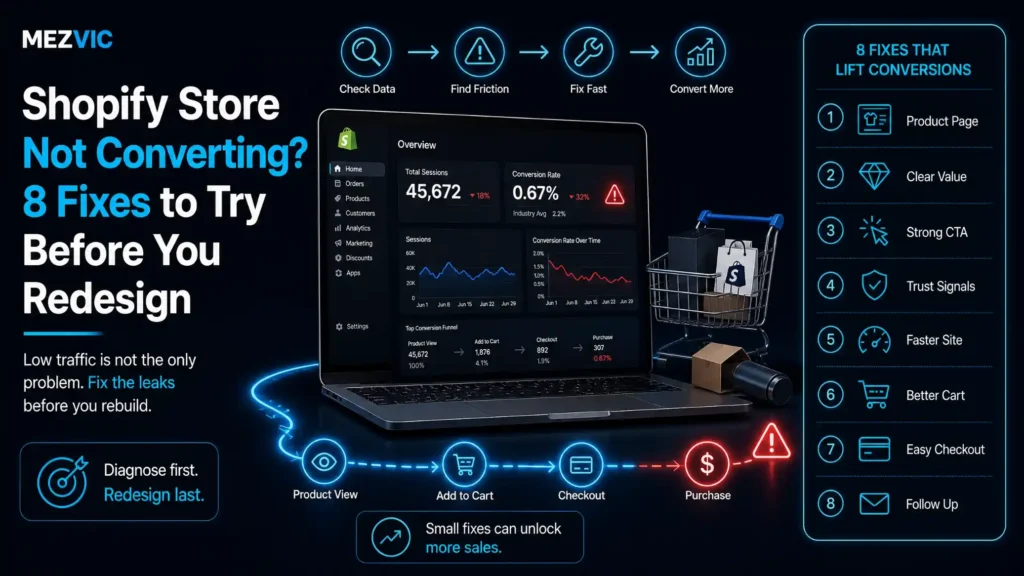
A Shopify store not converting looks like this. Traffic is up. Orders are not. Somebody in the meeting says the site looks dated, and within a fortnight you are being quoted for a redesign.
Sometimes a redesign is the right call. Usually it is an expensive way to change something that was never the problem.
A Shopify store not converting almost always has a specific, findable leak. Below: how to locate it, the eight fixes worth trying first, and how much traffic you need before any of it can be measured honestly.
Key Takeaways
- The cart abandonment benchmark everyone quotes is an average of 50 studies that range from 56.82% to 84.27%. Benchmarking against it tells you almost nothing.
- At a 1.5% conversion rate, 200 sessions gives you a margin of error of roughly ±1.7 points. Most “tests” that trigger redesigns are noise.
- Find the leak before choosing a fix. Add-to-cart rate and checkout completion rate point at completely different problems.
- A redesign changes everything at once, which means you learn nothing about what was wrong and cannot undo the part that hurt.
- Wrong-traffic problems look exactly like conversion problems in the dashboard, and no design fixes them.
Why Is My Shopify Store Not Converting Despite Steady Traffic?
A Shopify store not converting is rarely one problem, because traffic and buyers are not the same thing, and one of three gaps is usually responsible.
The wrong people are arriving. Rankings for informational queries, broad interest ads, or a viral post bring visitors with no purchase intent. Nothing on the page fixes that.
The right people cannot answer a question. Sizing, delivery timing, materials, compatibility, returns. They leave to find out and do not come back.
The right people decided to buy and hit friction. Surprise shipping cost, forced account creation, a slow or broken step on mobile.
All three look identical in the dashboard of a Shopify store not converting. They have nothing in common and share no fix.
A redesign addresses the second one, partially. It cannot help the first at all, and it often makes the third worse by introducing new steps nobody has tested.
So before anything else, work out which of the three you actually have.

How Do You Tell a Traffic Problem From a Conversion Problem?
Segment by intent rather than by channel. A store converting at 0.4% overall may be converting at 3% for branded search and 0.05% for a viral blog post.
That is not a Shopify store not converting. That is one good store and one irrelevant traffic source averaged into a single misleading number.
Pull conversion rate for these segments separately before concluding you have a Shopify store not converting, and the answer usually appears in ten minutes.
- Branded search, people who already know you. If this is weak, the problem is the site. If it is healthy, the site works.
- Non-branded product search, the commercial intent that should convert second best.
- Blog and informational traffic, which converts poorly everywhere and always has.
- Paid social, interruption rather than intent, and judged against a different bar entirely.
- Mobile against desktop, within each of the above. The gap here is where most stores find their leak.
If branded search converts well and nothing else does, you have a traffic quality problem wearing a conversion costume.
Fixing that means changing what you rank and bid for, which is acquisition work rather than design work.
Is the Industry Benchmark Worth Comparing Yourself To?
Not really, and the number most often quoted at a Shopify store not converting demonstrates why better than any argument could.
Baymard Institute puts the average documented cart abandonment rate at 70.22%, and is transparent that this is an average calculated across 50 separate studies.
Look at what those studies individually report and the tidy benchmark falls apart.
Ten studies, a 27-point spread, one average
Each petal is one documented cart abandonment study. Radius is proportional to the rate reported. The dashed ring is the 70.22% average.
All ten rates as published by Baymard Institute, from its list of 50 documented studies. Radius is the rate multiplied by 2.3.
The lowest study and the highest sit 27 points apart. Both are real measurements of real stores, and averaging them produces a number that describes none of them.
Different industries, price points, traffic mixes and definitions of “cart” are all being blended together.
Use your own trend instead of a published average. Last month against this month, on the same traffic mix, is worth more than any published figure. Full detail sits on Baymard’s cart abandonment statistics list.
Where Exactly Are Shoppers Dropping Off?
Four measurable stages, and each one blames a different part of the store for a Shopify store not converting. Get these numbers before you get a quote.
Every Shopify store has them in the Analytics section: sessions, sessions that viewed a product, sessions that added to cart, sessions that reached checkout, and orders.
10,000 sessions, 145 orders, four separate holes
Stream thickness is exactly proportional to sessions lost at that stage. The widest hole is the one to fix first.
Illustrative arithmetic using Shopify’s own funnel stages, not a study. Your numbers will differ, the method will not.
Now read it as a diagnosis rather than a picture, because each hole names a different cause.
Big loss before the product page means navigation, collection pages, internal search or wrong-intent traffic. Filter-generated collection URLs can also split the traffic you do have, which is covered in Shopify duplicate content.
Big loss on the product page, as above, means the page is not answering the buying question. This is the most common and the most fixable.
Big loss between cart and checkout is almost always shipping cost appearing for the first time.
Big loss inside checkout is payment methods, forced account creation, or something genuinely broken on a device you do not own.
Notice which stage of a Shopify store not converting a redesign actually touches. Mostly the first two, occasionally the third, and almost never the fourth.

What Are the 8 Fixes to Try Before a Shopify Redesign?
Eight changes that cost days rather than months, ordered for a Shopify store not converting today, ordered by how often they turn out to be the answer.
1. Put the delivery cost and date on the product page
Unexpected shipping cost at checkout is the single most cited reason for abandonment, and the fix is to stop it being unexpected.
Show the real cost and a delivery date before the cart. You will lose some add-to-carts and gain orders, which is the trade you want.
2. Answer the top five pre-purchase questions on the page
Take the five questions your support inbox receives most and answer them in the product description, not in a linked FAQ.
If your team answers the same sizing question forty times a week, that is forty people who asked. The ones who did not ask simply left.
3. Test the mobile checkout on a real, cheap phone
Not the simulator, and not your own flagship handset on office wifi. A mid-range Android on a weak connection is what most of your traffic is.
Complete a full purchase on it monthly. Broken mobile checkouts survive for months precisely because nobody on the team shops that way.
Where the slowness is structural rather than app-related, that is Shopify speed work rather than a checkout bug.
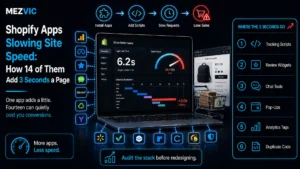
4. Cut the apps that are slowing the product page
Every app that injects a script taxes the page your conversion depends on most, and the ones you stopped using still load.
Audit what is installed against what is used. We cover the measurement method in how apps add seconds to a page.
5. Show real photography, not only the supplier’s
Scale, texture and colour accuracy are what people are trying to judge, and catalogue renders answer none of it.
One photo of the product held, worn or in a room usually outperforms three more studio angles.
6. Make returns policy visible and boring
A plain sentence near the buy button does more than a badge. “30 days, we pay return postage” removes a real reason to hesitate.
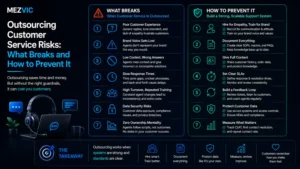
If your policy is not competitive, that is a commercial decision to review rather than a design element to hide. Returns questions also dominate inboxes, which is why they belong in the support playbook as well as on the page.
7. Fix internal search and the empty result
Searchers convert at multiples of browsers, which makes a bad search box expensive in a way no report highlights.
Read the top 50 search terms. Every one returning nothing is either a synonym problem or a product you should stock.
8. Turn on the payment methods your buyers use
Express wallets remove typing on mobile, which is where the typing hurts most. If your build cannot support them cleanly, that is a development job worth doing before any redesign.
This is a settings change measured in minutes, and it is routinely still on the list when a store is being redesigned instead.
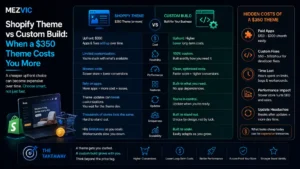
Seven of those eight fixes are content and configuration rather than design, which is the point. Where they do need building, it is section-level work described in theme versus custom build.
How Much Traffic Do You Need Before Trusting a Conversion Test?
More than almost anyone has, which is why so many Shopify store not converting diagnoses are triggered by numbers that mean nothing.
The arithmetic is not complicated. At a conversion rate p over n sessions, the 95% margin of error is 1.96 times the square root of p times one minus p, divided by n.
Run that at a 1.5% conversion rate and the result is uncomfortable.
What your conversion rate could actually be
Measured rate 1.5% in every case. Bars show the 95% confidence interval at four sample sizes.
Standard 95% confidence interval, 1.96 times the standard error. The first bar is cut off at 0% because a conversion rate cannot be negative.
For a Shopify store not converting, 200 sessions gives an interval wider than the entire difference you are trying to detect. A week of “the new page is worse” is frequently a coin landing tails.
This is also why a Shopify store not converting should never be diagnosed from a single bad week.
Two practical rules follow for anyone diagnosing a Shopify store not converting. Judge changes on at least a full purchase cycle, and prefer fixes that are obviously right over fixes that need proving.
Showing a delivery date does not need a test. It needs doing.
Why Does a Redesign Usually Not Fix Conversion?
Because a redesign changes forty things at once, so you cannot tell which one helped, which one hurt, or whether the season did it.
None of that is an argument against redesigning. It is an argument against redesigning as a diagnosis.
Three specific things go wrong when a redesign is used to solve a conversion problem nobody located first.
- The working parts get replaced too. Whatever was quietly converting is gone, and it is rarely the part anyone documented.
- New friction arrives untested. A fresh checkout flow, a new mega menu, a hero that pushes products below the fold on mobile.
- The real cause survives. If the leak was shipping cost or wrong-intent traffic, a new design ships it in a nicer font.
A Shopify store not converting also pays a timing cost. A redesign takes months during which nothing improves, while the eight fixes above take days each.
Work out what a point of conversion is worth to you first. Our profit margin calculator makes that number concrete before you commit a budget to guessing.
When Is a Shopify Redesign Actually Justified?
When the reason a Shopify store not converting is structural rather than cosmetic, and you can name the structure.
Four situations qualify, and none of them is “it looks dated”.
- The theme cannot express what you sell. Configurable products, bundles or trade pricing that no amount of content fixes.
- You have already done the eight fixes and the funnel still leaks at a stage you can point to.
- The build is unmaintainable. Years of edits by different developers, where every small change costs a week.
- The brand genuinely moved on and the store now misrepresents the product. This is a positioning reason, not a conversion one, and it is legitimate.
Notice the second condition. Doing the cheap work first does not delay the redesign, it tells you what the redesign should change.
Arriving at a store design project with a measured funnel and eight things already ruled out produces a far better brief than arriving with a feeling.
And if the queue of small fixes never gets done because nobody owns it, that is an operations problem rather than a design one.

Which Conversion Fix Should You Do First?
The one with the highest certainty rather than the highest theoretical impact. Certainty is what stops you spending a quarter on a maybe.
Most prioritisation frameworks score impact against effort and ignore how confident you are that the change does anything at all.
That missing column is why teams ship a homepage redesign before they show a delivery date.
Certainty first, then effort, then impact
| Fix | Certainty it helps | Effort | Needs a test? | Do it |
|---|---|---|---|---|
| Delivery cost and date on product page | Very high | Hours | No | This week |
| Enable express payment wallets | Very high | Minutes | No | Today |
| Answer top 5 questions on the page | High | Days | No | This week |
| Fix broken mobile checkout steps | Very high | Varies | No | Immediately |
| Remove unused apps and scripts | High | Days | No | This month |
| Real product photography | Medium high | Weeks | No | This quarter |
| Internal search and synonyms | Medium | Days | Measure after | This quarter |
| Change hero, colours or layout | Low | Weeks | Yes, and you lack traffic | Last |
| Full redesign | Unknown | Months | Cannot be tested | Only with a named reason |
Everything above the last two rows is work you can justify without statistics.
The pattern behind a Shopify store not converting is worth naming. Fixes that remove a known obstacle need no proof, because removing an obstacle cannot make things worse.
Fixes that swap one guess for another guess need proof, and proof needs traffic most stores do not have.
So a Shopify store not converting should work top down through that table and stop the moment the funnel gap closes.
One caution on the photography row. It is high value and slow, so start it in the background rather than blocking the quick wins behind it.
The same logic applies to your listings elsewhere, since product content is doing the selling on every channel you sell through, not only your own store.
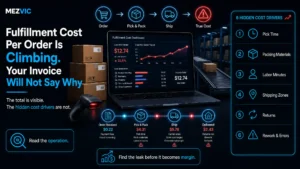
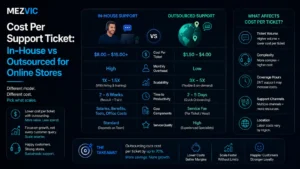
And if the same five questions keep arriving by email, answering them on the page removes both the lost sale and the ticket, which is the arithmetic behind what a support ticket really costs.
Frequently Asked Questions
What is a good conversion rate for a Shopify store?
The honest answer is that your own trend matters more than any benchmark. Published figures blend industries, price points and traffic mixes, which is why documented cart abandonment studies range from under 57% to over 84%.
Why is my Shopify store getting traffic but no sales?
Usually one of three things: the visitors have no purchase intent, the product page does not answer their buying question, or something breaks between cart and payment. Segment conversion by traffic source to tell which.
How many sessions do I need to measure a change?
At a 1.5% conversion rate, 200 sessions carries a margin of error of about 1.7 percentage points, which is wider than most changes you are testing. Around 5,000 sessions narrows it to roughly 0.34 points.
Does site speed affect Shopify conversion?
Yes, particularly on mobile and particularly on the product page. The usual cause is accumulated app scripts rather than the theme, and removing unused apps is faster and cheaper than rebuilding.
Should I show shipping costs before checkout?
Yes. Unexpected cost at checkout is the most commonly cited abandonment reason, and showing it earlier trades some add-to-carts for more completed orders, which is the exchange you want.
Will a new Shopify theme improve my conversion rate?
Only if the current theme is the actual constraint. A theme change alters many things at once, so it rarely tells you what was wrong and can quietly remove whatever was working.
How do I find where customers drop off on Shopify?
Use the funnel already in Shopify Analytics: sessions, sessions that viewed a product, sessions that added to cart, sessions that reached checkout, and orders. The largest gap between two consecutive stages is your first fix.
Is a low add-to-cart rate a product page problem?
Usually, provided the visitors were the right ones. Check that the traffic reaching those pages has commercial intent first, because informational visitors will never add to cart no matter how good the page is.
How long should I wait before judging a conversion fix?
At least one full purchase cycle, and long enough to gather a meaningful sample. For most small stores that means weeks rather than days, and comparing like periods rather than consecutive ones.
Do product reviews increase conversion?
They help most where the buyer is uncertain about quality or fit, because they answer questions your own copy cannot credibly answer. They help least on well-known commodity products people already understand.
Why does my mobile conversion rate look so much worse?
Partly genuine behaviour, since people browse on mobile and buy later on desktop, and partly real friction. Complete a purchase yourself on a mid-range phone before assuming it is only browsing behaviour.
Should I hire a CRO agency or fix conversion myself?
Start yourself, because the first round of fixes is content and configuration rather than expertise. Bring in help when you have measured the funnel, done the obvious work, and still have a leak you cannot explain.
The Bottom Line
A Shopify store not converting is a measurement job first. Measure the four funnel stages before anyone opens a design tool. The biggest gap between two consecutive stages is your answer, and it takes an afternoon to find.
Then work through the cheap fixes that do not need proving. Delivery cost on the product page, the top five questions answered, a real mobile checkout test.
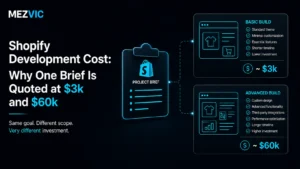
Redesign when you can name the structural reason, and price it properly using what Shopify development costs. A store that was rebuilt without one tends to arrive back at the same conversation eighteen months later, poorer.
If you want a second opinion on where your funnel leaks, send us the five numbers and we will tell you whether it is a design problem or not.