A store I looked at last year was paying $149 a month for email software.
They used it to send two newsletters a month. Everything else the platform could do sat switched off.
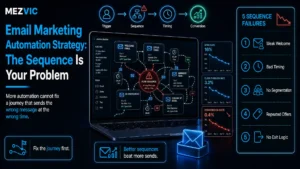
They were not lazy. Nobody had ever told them the difference between a campaign, which you send, and a flow, which sends itself.
Email automation is just that second category: messages triggered by something a customer did, built once, running while you sleep.
Nine email automation workflows cover almost every situation worth automating. Built in the right order, the first one usually covers the software bill on its own.
Key Takeaways
- Flows beat campaigns on revenue per send, because they arrive when someone is already thinking about you rather than when your calendar says Tuesday.
- Build abandoned checkout first, not the welcome series. It reaches people with intent and it pays back fastest.
- Nine workflows cover nearly everything. Anything beyond them is refinement, not new revenue.
- Timing matters more than copy. The first cart message should go within an hour, not the next morning.
- You can test the whole idea for nothing. Klaviyo’s free plan runs to 250 profiles and 500 sends a month, which is enough to prove one flow works.
- Exit conditions are what stop it feeling robotic. Most spammy automation is not badly written, it is badly stopped.
What Email Automation Actually Is
Email automation is any message sent automatically in response to a customer action or a date, rather than being sent manually to a list.
That is the whole definition. The word covers everything from a two line receipt follow up to a twelve message onboarding sequence.
The reason it earns more than campaigns is not that the writing is better. It is that a flow arrives at the moment of interest, and a campaign arrives at a moment that suited you.
Where email revenue comes from once flows are running
A modelled store doing $18,400 a month from email. The smaller slice is the part that takes all the work.
Arithmetic, not a study: $11,960 divided by $18,400 is 65%. Your split will differ, but the direction rarely does.
Look at the labour behind each slice. The 35% takes someone several hours every week, forever.
The 65% took a few days once. That asymmetry is the entire argument for email automation, and it is why it belongs near the top of any process automation shortlist.
The 9 Workflows, in the Order Worth Building Them
Most email automation guides start with the welcome series. That is the wrong first build.
A welcome series reaches people who just signed up and might buy eventually. An abandoned checkout flow reaches people who put a card in their hand and stopped.
Build in order of intent, and the earliest work pays for the rest. It is the same sequencing logic we use for any workflow automation project.
Nine workflows, highest intent first
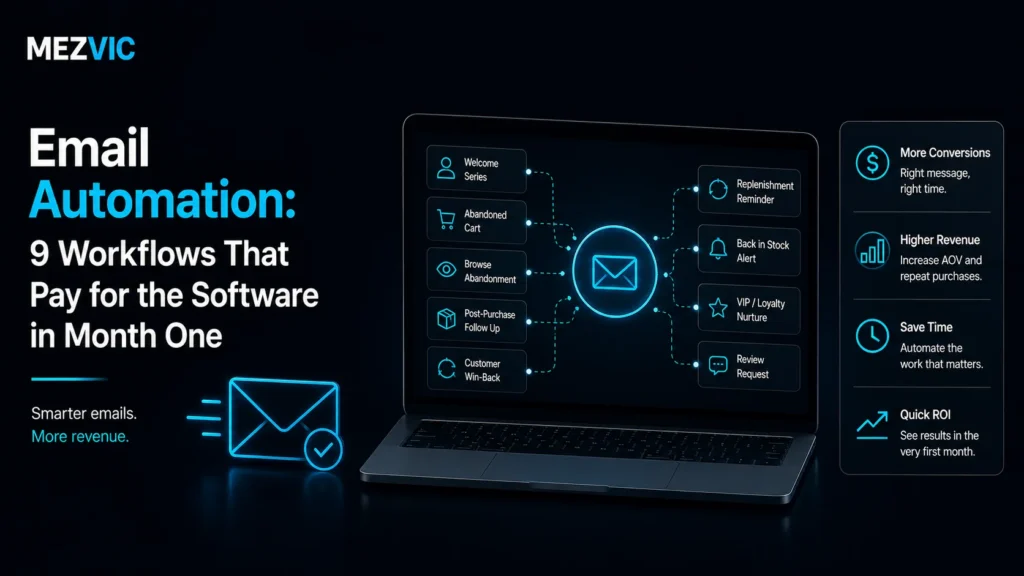
Follow the numbers. Each one is live before the next one starts, so revenue funds the build.
Reading order snakes left to right, then right to left. Ordered by intent, not by how often they get written about.
Build five is the one people argue about, because it does not produce revenue on its report.
It produces reviews, and reviews raise the conversion rate of every product page and every other email you send. Judge it on that, or you will switch it off.
The same logic applies across channels, which is why review requests often sit alongside social media automation in the same quarterly plan.
Workflow One in Detail: Where Abandoned Carts Actually Leak
Cart recovery is the one piece of email automation everyone has heard of. Very few people know where their own version is losing people.
The drop between abandoned carts and recoverable ones catches most stores out, because you can only email someone whose address you captured before they left.
1,000 abandoned checkouts, one month
Find the stage where your own numbers collapse. That stage tells you which fix to reach for, and they are different fixes.
Arithmetic, not a study: 26 recovered orders at a $70 average order value is $1,820 a month from one workflow.
Each stage has its own fix, and they are not interchangeable. This is why email automation reporting alone never tells you what to change.
If the first bar to second bar drop is steep, your checkout asks for the email too late. Move the email field to the first step and the whole funnel widens.
If opens are low, it is the subject line and the send delay. If clicks are low, the message is doing too much work and needs one button.
And if clicks are healthy but orders are not, the problem is not email at all. It is the checkout, which is conversion work rather than automation work.

All Nine Workflows at a Glance
Trigger, timing, and the job the first message has to do. Get the timing wrong and the best copy in the world will not save it.
| Workflow | Trigger | First message timing | Job of message one |
|---|---|---|---|
| Abandoned checkout | Checkout started, not completed | 45 to 60 minutes | Remove the friction that stopped them, not offer a discount |
| Welcome series | Signup | Immediately | Deliver what was promised and say what happens next |
| Post-purchase | Order placed | Immediately, then on dispatch | Reassure, and pre-empt the where-is-my-order ticket |
| Browse abandonment | Product viewed, no cart | 4 to 6 hours | Be useful about the product, not pushy about the sale |
| Review request | Delivery confirmed | 5 to 14 days after delivery | Ask once, make it one click, never bundle an offer |
| Back in stock | Restock of a watched item | Within minutes | Say it is back and link straight to it. Nothing else |
| Replenishment | Purchase date plus product lifespan | Two thirds through the expected cycle | Make reordering a single tap |
| Win-back | No purchase in 2x the normal gap | Day one of lapse | Ask if anything went wrong before you offer anything |
| Birthday | Date field | 7 days before | Give them time to actually use it |
The timing column is where most email automation goes wrong. Copy is easy to fix later, a bad delay is invisible.
Two rows there run against common advice.
The cart message should not lead with a discount. Most people who abandon were not price sensitive, they were interrupted, confused by shipping, or on a phone with a bad connection.
Lead with a discount and you teach your best customers to abandon deliberately. Save the offer for message three, if at all.
And the win-back should open with a question rather than a coupon. The replies are the most useful market research you will get for free, and they often belong in your CRM rather than just an inbox.
What the First Three Workflows Should Actually Say
Email automation structure is the part that gets copied. Content is the part that gets guessed.
Here is the message by message shape of the three workflows that carry most of the revenue.
Abandoned checkout, three messages
Message one, 45 minutes. No discount, no urgency. Show the item, restate the delivery cost and time, and give one button back to the checkout.
Shipping surprise is the most common reason people leave, so answering it plainly recovers more carts than any countdown timer.
Message two, 24 hours. Handle doubt instead of price. Returns policy, a review of that exact product, and how to reach a human.
Message three, 72 hours. Now you may offer something, and it should be small. Free delivery usually outperforms a percentage off, because it removes the original objection.
Welcome series, three messages
Message one, immediately. Deliver whatever you promised at signup within the first screen. If they joined for a code, the code goes above the fold, not below a brand story.
Message two, day two. One reason to trust you. A guarantee, a process, a founder note that is genuinely specific rather than a paragraph about passion.
Message three, day five. Your best sellers, chosen by what people actually buy first, not by what you wish they bought.
Post-purchase, three messages
Message one, immediately. Confirm and set expectations, including the date they should worry if nothing has arrived.
Message two, on dispatch. Tracking, plus one line on what to do when it arrives. This single message removes a surprising share of support tickets.
Message three, delivery plus three days. How to get the most from it. No selling. This is the message that earns the review request you send next week.
Notice that only one of those nine messages contains an offer. Email automation that sells in every message stops being opened by month three, and open rate is the asset you are actually managing.
Segmentation That Makes Flows Work Harder
The same workflow can be two workflows with one condition added, and it usually should be.
A first time buyer and a fifth time buyer abandoning the same cart need different messages. One needs reassurance, the other needs speed.
Three splits are worth the effort, and the rest usually are not.
- First order versus repeat. Repeat customers do not need your returns policy explained again. Send them straight back to the checkout.
- Cart value. A $30 cart and a $600 cart deserve different tones. The larger one justifies an offer to speak to a person.
- Engaged versus dormant. Somebody who has not opened anything in six months should get fewer messages, not more, or your deliverability pays for it.
Anything beyond three splits is usually a job for AI driven personalisation rather than more manual branches. Resist splitting further than that early on. Six variants of one flow means each gets a sixth of the data, and you will never learn which version actually worked.
Segmentation is also where email automation starts to depend on clean customer records, which is the unglamorous half of the job and the reason flows and CRM data are usually the same project.
What Actually Changes in Month One
Nothing about your campaigns changes. That is the part people miss about email automation.
Email automation does not replace the newsletter. It adds revenue underneath it from traffic you were already paying for, which is why it belongs in day to day store operations rather than in a campaign calendar.
The same store, same traffic, same campaigns
Both bars are on the same scale, so the campaign block really is the same size in each. Nothing was taken away.
Arithmetic, not a study: $6,440 plus $11,960 of flow revenue is $18,400. Segment widths are a share of the larger total.
The cart block alone is $4,900 a month in this model. Against software at $149, that is the first workflow paying for the platform roughly thirty times over.
Even at a tenth of that result it still clears the bill in month one, which is the only claim in the title I am willing to make.
Run it against your own numbers rather than mine using the email automation ROI calculator, which asks for your list size and order value instead of assuming them.
What It Costs to Run
Email automation software is priced by how many contacts you store, not by how many flows you build. Building all nine costs the same as building one.
That is unusual and worth exploiting. There is no per-workflow fee, so the only real cost of workflow nine is the afternoon it takes.
Klaviyo’s published pricing includes a free tier of 250 active profiles and 500 sends a month, which is enough to prove a cart flow works before you pay anything. Paid pricing is calculated from your contact count rather than published as a flat figure, so build an estimate before committing.
Setup labour is the bigger number. Nine workflows written, designed, tested and connected is realistically 30 to 60 hours, which is where email automation services earn their fee or where your weekends go.
If you are running the flows from a wider toolset, the platform question changes shape, and our comparison of n8n, Zapier and Make covers where each one fits.

Why Automation Starts Feeling Spammy
Bad email automation is almost never badly written. It is badly stopped.
The customer buys, and the cart flow keeps chasing them for something already in the post. The win-back fires at someone who ordered yesterday.
Every flow needs an exit condition, and most platforms make you set it deliberately rather than doing it for you.
- Exit on purchase for cart, browse and win-back. Obvious, and skipped constantly.
- Exit on reply so a human conversation is never interrupted by a robot.
- Suppress across flows so nobody is in three sequences at once during a busy week.
- Cap total sends per person per week, whatever the flows want to do.
- Quiet hours, because a 3am back-in-stock alert reads as desperation.
The second one matters more than it looks. A customer replying to an automated message is the single best signal you will get all week, and it should stop everything else immediately.
Deliverability follows the same logic. Sending less to people who never open protects the inbox placement of everything else, and it is the cheapest fix in any outbound programme.
Flows Rot Quietly, So Check Them Quarterly
A campaign fails loudly. You send it, the numbers are bad, you know that morning.
Email automation fails silently, because nobody is watching on the day it breaks.
The usual causes are dull. A product got renamed and the link 404s. A discount code expired. A theme update broke the checkout event that triggers the whole cart flow. Our guide to running a Shopify store puts this check into the monthly routine.
That last one is the expensive one, and it produces no error anywhere. The flow simply stops firing and the revenue quietly disappears from a report nobody opens.
- Trigger a real one yourself. Abandon a cart with a test address every quarter and confirm all three messages arrive on schedule.
- Click every link. Product URLs change more often than anyone expects, especially after a redesign.
- Compare revenue per recipient to last quarter. A slow decline usually means your segments have drifted, not that the copy went stale.
- Check the send volume graph for a cliff. A flat line where there used to be a trickle means the trigger broke, not that demand stopped.
If you would rather see every automation gap at once, our business automation audit covers the same ground across your whole stack. Fifteen minutes a quarter protects the majority of your email revenue. It is the highest paid quarter hour in the whole marketing calendar.
Frequently Asked Questions
What is email automation?
Email automation is any message sent automatically in response to a customer action or a date, rather than sent manually to a list. A cart reminder is automation, a Tuesday newsletter is not.
Which email workflow should I build first?
Abandoned checkout, every time. It reaches people who were seconds from buying, so it converts far better than any sequence aimed at new subscribers.
How long does it take to set up email automation?
One workflow takes a few hours. All nine, written and tested properly, is realistically 30 to 60 hours of work spread over a few weeks.
How many emails should be in a flow?
Three is the sensible default for cart and welcome, one for back in stock and review requests. Add a fourth only when the third is still earning.
When should the first abandoned cart email send?
Within 45 to 60 minutes. Waiting until the next morning loses most of the intent, and sending within five minutes reads as surveillance.
Should the first cart email include a discount?
No. Most people abandon because of shipping cost, a slow checkout or a distraction, not price. Leading with a discount trains regular customers to abandon on purpose.
Is email automation worth it for a small list?
Yes, because flows are triggered by behaviour rather than list size. A 400 person list with real traffic can still produce enough cart recoveries to cover the software.
What is the difference between a flow and a campaign?
A flow is triggered by an individual action and sends to one person at a time. A campaign is scheduled by you and sends to a segment at once.
How do I stop automated emails annoying customers?
Set exit conditions on every flow, suppress people who are already in another sequence, cap weekly sends per person, and stop everything the moment somebody replies.
Do I need a separate tool for email automation?
Usually not. Most eCommerce email platforms include flows on the same plan as campaigns, and there is rarely a per-workflow charge, so building all nine costs the same as building one.
How do I measure whether a workflow is working?
Revenue per recipient, not open rate. A flow with a 20% open rate that produces orders beats one with 60% opens and no purchases every time.
Can I run email automation without a developer?
Yes for standard flows on a mainstream platform, since the store integration handles the triggers. You need help when you want custom logic or data from a system the platform does not natively read.
The Bottom Line
You are almost certainly already paying for the software that does this.
Start your email automation with the cart flow this week. Set an exit on purchase, send the first message inside an hour, and leave the discount out.
Then work down the nine in order of intent, one a week. By week nine the flows will be earning more than the newsletter that currently takes all your time.
If you would rather have all nine built, tested and connected properly, tell us what you sell and we will map the flows to your actual repurchase cycle.