GoHighLevel can replace a dozen separate tools: your CRM, email platform, SMS, calendars, funnels, and automation, all in one place.
That is the promise. The problem is that all that power sits behind a setup screen that stops most people cold.
A proper GoHighLevel CRM setup is the difference between a tool that runs your business on autopilot and one that gathers dust in a browser tab.
This guide walks through a GoHighLevel setup step by step: what it includes, how to configure it in the right order, what it costs, and the mistakes to avoid.

Key Takeaways
- A GoHighLevel CRM setup turns a powerful but empty platform into a system that runs your follow up.
- Set up in order: account, contacts, channels, calendars, automations, funnels, reviews, reporting.
- Instant lead response is the single highest return automation to build first.
- Setup usually takes one to three weeks, most of it spent on automations and testing.
- For agencies, SaaS mode turns your setup into a resellable product.
What Is GoHighLevel?
GoHighLevel is an all in one CRM and marketing platform built for agencies and service businesses. It combines contact management, email and SMS, calendars, funnels, and automation in a single system.
Instead of paying for and connecting five or six tools, you run everything from one login.
That consolidation is powerful, but only after setup. A raw GoHighLevel account does nothing until you configure it around how your business actually works.
What Does a GoHighLevel CRM Setup Include?
A complete GoHighLevel CRM setup configures every core system so leads flow in, get nurtured, and turn into booked appointments without manual chasing.
A full setup usually covers:
- Account structure and user access.
- Contacts imported and your sales pipeline built.
- Email, SMS, and calling connected and verified.
- Calendars and booking links.
- Automation workflows for follow up and nurture.
- Forms, funnels, and landing pages.
- Reviews and reputation management.
- Dashboards and reporting.
It is a core piece of any modern AI automation stack, because it is where your leads and follow up live.
Step-by-Step GoHighLevel CRM Setup
Order matters. Set things up in the wrong sequence and you will redo half of it later. Here is the sequence we use.
Step 1: Set up your account structure
Start with the foundation: your account, sub-accounts if you run multiple brands, users, and permissions. Get this right first so everything else has a clean home.
Step 2: Import contacts and build your pipeline
Bring your existing contacts in cleanly, with tags that make sense. Then build your pipeline stages to mirror how a lead actually moves from new to won.
Step 3: Connect your channels
Connect and verify email, SMS, and calling. This is what lets GoHighLevel talk to your leads on their terms, from one place.
Do not skip verification and warm up. A rushed sending setup lands your messages in spam.

Step 4: Set up calendars and booking
Create your booking calendars and connect them to your real availability. This turns interested leads into scheduled calls without the back and forth.
Step 5: Build your core automations
This is where the magic happens. Automations handle instant lead response, follow up sequences, appointment reminders, and re-engagement.
A single fast follow up workflow, firing the moment a lead comes in, often pays for the entire setup on its own.

Step 6: Build forms, funnels, and pages
Create the forms and funnels that capture leads and feed them straight into your pipeline and automations. Every lead should land somewhere with a next step attached.
Step 7: Set up reviews and reputation
Turn on automated review requests after a job or purchase. Steady, genuine reviews compound your reputation and your local visibility.
Step 8: Build dashboards and reporting
Finish with dashboards that show what matters: lead volume, pipeline value, booked calls, and revenue. Now you can actually see what is working.

The Automations Every GoHighLevel Setup Needs
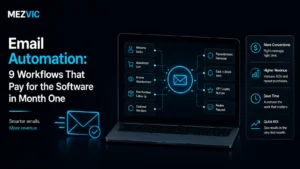
You do not need a hundred workflows. You need a handful of good ones running reliably. The follow-up sequences themselves are ordinary email automation, just living inside the CRM.
- Instant lead response, so no lead waits more than a minute.
- Follow up sequences, because most sales happen after the fifth touch.
- Appointment reminders, to cut no shows.
- Re-engagement, to wake up old leads that went quiet.
- Review requests, to build reputation on autopilot.
Most of these are email automation and SMS flows, and they are the heart of what makes GoHighLevel pay for itself.
Common GoHighLevel Setup Mistakes
Most struggling GoHighLevel accounts share the same fixable mistakes.
- Trying to build everything at once instead of the essentials first.
- Skipping email and phone verification, then landing in spam.
- Messy pipelines that do not match the real sales process.
- Automations that were never tested with real contacts.
- No reporting, so nobody knows what is working.
None are hard to avoid. They just need someone who has done a GoHighLevel setup before.
The common thread is impatience. Every one of these mistakes comes from rushing to launch before the basics are solid and tested.
How Long Does a GoHighLevel Setup Take?
A focused GoHighLevel CRM setup usually takes one to three weeks, depending on how many workflows and integrations you need.
The foundations go up fast. The time goes into building automations that match your process and testing them properly before launch.
Rushing this part is the most common reason a setup underperforms later.
How Much Does a GoHighLevel Setup Cost?
There are two costs: the GoHighLevel subscription, and the setup work itself. Work out what the current patchwork costs you first with our free business automation audit.
The software is a monthly fee that usually replaces several other tools you already pay for, so it often lowers your total stack cost.
The setup is a one time project fee. Judge it on what it returns: faster lead response, fewer no shows, and hours of manual work removed every week.
Here is a simple way to think about it. If a better follow up system wins you even one extra client a month, the setup usually pays for itself many times over within the first quarter.
Cheap setups that skip testing tend to cost more later, when leaking automations quietly lose you leads for months before anyone notices.
DIY vs Hiring a GoHighLevel Setup Service
You can set up GoHighLevel yourself. The question is whether the time is worth it.
| Do it yourself when | Hire a specialist when |
|---|---|
| You enjoy the tech and have time | Your time is better spent selling or serving clients |
| Your needs are simple | You need multiple workflows and integrations |
| You are testing the platform | You want it done right and live in weeks |
If the store of value is your time, a done for you GoHighLevel setup service usually pays for itself in the first month.

GoHighLevel for Agencies
For agencies, GoHighLevel is more than a CRM. It is a product you can resell. Running this for clients rather than yourself is a different engagement, covered on GoHighLevel CRM services.
SaaS mode lets you offer the platform to your own clients under your brand, with a clean sub-account for each one. Your setup becomes a repeatable template you deploy again and again.
That is where a solid GoHighLevel CRM setup turns into recurring revenue, not just an internal tool.
Adding AI to Your GoHighLevel Setup
The newest layer is AI. GoHighLevel plays nicely with tools that handle conversations for you. Answering the calls that trigger those workflows is where an AI voice agent earns its place, and small businesses use it most, as covered in this guide.
Add AI voice agents to answer and qualify calls, or a chatbot to handle website chats, and route everything they capture straight into your pipeline.
Paired with CRM automation, the result is a system that responds to every lead instantly, day or night.
Signs Your GoHighLevel Setup Needs Help
Already have GoHighLevel but not getting much from it? A few signs point to a weak setup. If you would rather hand the build over, that is GoHighLevel setup.
- Leads still slip through the cracks.
- Your automations are half built or switched off.
- You log in, feel overwhelmed, and log back out.
- You are paying for it but still using your old tools.
If that sounds familiar, the platform is fine. The setup just needs finishing.
Getting Started
The best first move is to map your process before you touch a single setting. Know how a lead should flow from first contact to closed deal.
Not sure where the gaps are? A quick business automation audit shows you exactly which parts of your funnel are still manual.
From there, build in the order above, test everything, and go live. You can see the kind of systems we build across our case studies.

Your GoHighLevel Setup Checklist
Use this checklist to track a GoHighLevel CRM setup from start to finish. Work top to bottom and do not skip ahead.
- Account created, business profile and branding added.
- Users invited with the right permission levels.
- Contacts imported, deduplicated, and tagged.
- Pipeline stages built to match your real sales process.
- Email domain connected, authenticated, and warmed up.
- Phone number provisioned and SMS enabled.
- Booking calendars connected to your live availability.
- Instant lead response workflow built and tested.
- Follow up and reminder sequences live.
- Lead capture forms and funnels connected to the pipeline.
- Review request automation switched on.
- Reporting dashboard built and shared with the team.
Print it, save it, or hand it to whoever runs your setup. Every finished box is one more thing the system handles for you.
Connecting GoHighLevel to Your Other Tools
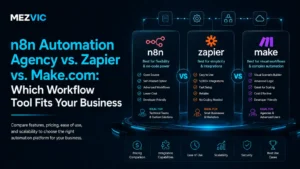
GoHighLevel replaces a lot, but it does not replace everything. A good setup connects the tools you keep so data flows both ways. Where a native integration does not exist, the join is built in n8n, Zapier or Make, compared in this breakdown.
Common connections include your calendar, your ad accounts, your payment processor, and your website forms.
The goal is simple. Every new lead, no matter where it comes from, should land in the same pipeline with the same follow up attached.
When a lead fills out a form on your site, GoHighLevel should tag it, start the right workflow, and notify your team, all without anyone lifting a finger.
What Good Looks Like After Setup
A finished GoHighLevel CRM setup should feel almost boring, in the best way. Leads come in and get handled without anyone scrambling. Beyond the CRM, the wider picture sits with AI automation.
A new lead gets a reply within a minute. If they do not book, the follow up sequence keeps the conversation going for days or weeks.
Booked calls get reminders, so fewer people forget. After the job, a review request goes out on its own.
You open one dashboard and see exactly how many leads came in, how many booked, and how much revenue is in the pipeline.
That is the payoff. Not the software itself, but the quiet, reliable system it becomes once the setup is done right.
Maintaining Your Setup Over Time
A GoHighLevel setup is not a one and done project. The best systems get small tweaks as your business changes. Keeping records clean and stages accurate over time is CRM automation work rather than a one-off build.
Review your automations every quarter. Check which sequences convert, which messages get replies, and where leads drop off.
Small, regular improvements compound. A follow up sequence that gets a little better every quarter can lift your bookings noticeably over a year.
What the separate-tools stack usually costs
A typical service business runs five subscriptions that half overlap, then pays somebody to connect them.
Illustrative monthly figures at common entry tiers, not quotes. Swap in what you actually pay, then add the admin time.
Why GoHighLevel Beats a Patchwork of Tools
Most businesses do not start with GoHighLevel. They start with a patchwork: one tool for email, another for booking, a spreadsheet for leads, and a phone that never gets logged.
The problem is not any single tool. It is the gaps between them.
A lead fills out a form, but nobody sees it for hours. A call comes in, but it never makes it into the CRM. A follow up gets forgotten because it lived in someone’s head.
A single GoHighLevel CRM setup closes those gaps. Everything lives in one record, and the follow up runs whether your team remembers or not.
That is the real reason to switch. Not fewer subscriptions, though that helps, but fewer leads falling through the cracks.
Who Gets the Most From GoHighLevel
GoHighLevel fits some businesses better than others. It shines for anyone who relies on inbound leads and follow up to win work. Service businesses fielding enquiries by phone and form benefit most, which is the same profile that suits lead generation automation.
- Local service businesses, from home services to clinics, that live on booked appointments.
- Coaches and consultants who nurture leads over weeks before a sale.
- Agencies that want to manage clients and resell the platform.
- eCommerce and info product sellers who need email and SMS follow up at scale.
If speed of follow up decides whether you win the job, a proper GoHighLevel setup is one of the highest return systems you can build.
Your First 30 Days After Launch
The setup going live is the start, not the finish. The first month is where you prove the system works and tune it.
In week one, watch every automation fire on real leads. Fix anything that misfires before it becomes a habit.
By week two, check your response times. Are new leads really getting a reply within a minute? If not, find the gap.
In week three, read the replies your sequences get. The words your best leads use are gold for improving your messaging.
By week four, look at the numbers. Leads in, calls booked, deals won. Now you have a baseline to beat every month after.
Do this and your GoHighLevel CRM setup keeps getting better instead of quietly drifting out of date.
Frequently Asked Questions
What is a GoHighLevel CRM setup?
A GoHighLevel CRM setup is the process of configuring the platform for your business, including account structure, contacts, pipelines, channels, calendars, automations, funnels, and reporting. It turns a blank account into a working lead and follow up system.
How long does a GoHighLevel setup take?
A focused GoHighLevel setup usually takes one to three weeks. The foundations go up quickly, and most of the time goes into building and testing automations that match your sales process.
Can I set up GoHighLevel myself?
Yes, especially for a simple setup. The challenge is the learning curve and the number of moving parts. Many businesses hire a specialist to get it live faster and avoid costly mistakes.
Does GoHighLevel replace my other tools?
For most service businesses, yes. GoHighLevel combines CRM, email, SMS, calendars, funnels, and automation, which often replaces several separate subscriptions and lowers your total tool cost.
What is GoHighLevel SaaS mode?
SaaS mode lets agencies resell GoHighLevel to their own clients under their own brand, with a separate sub-account for each client. It turns your setup into a recurring revenue product.
Can I migrate my existing contacts and history into GoHighLevel?
Yes, contacts, tags and basic custom fields import cleanly from a CSV. What rarely transfers intact is conversation history, call recordings and the internal notes attached to deals in your old system. Decide before you migrate which of that you genuinely need, because exporting it later is usually harder than exporting it now.
What happens to my phone number and sender reputation?
You can port an existing number or provision a new one, but the sending reputation does not come with it. New numbers and new sending domains start cold, so ramp volume gradually rather than importing ten thousand contacts and blasting them on day one. That single mistake is the most common cause of early deliverability problems.
Do I need the agency plan or will the starter plan do?
The starter plan is enough for a single business running its own pipeline, automations and calendars. The agency tier exists for running separate sub-accounts per client, reusing snapshots and rebranding the platform. If you are not managing other companies inside the system, paying for the agency tier buys you features you will not open.
How do I avoid building automations nobody maintains?
Name every workflow with what it does and the date it was built, and keep the count deliberately small at first. Most cluttered accounts are not the result of one bad decision but of twenty half-finished experiments nobody switched off. Review the list quarterly and delete anything that has not fired in ninety days.
What should I set up first if I only have a day?
Missed call text back, a booking calendar, and one follow-up sequence for new enquiries. Those three cover the leaks that cost real money in most service businesses: calls nobody answered, leads who could not book, and enquiries nobody chased. Everything else can wait until those are running reliably.
The Bottom Line
GoHighLevel is only as good as its setup. Configured well, it responds to leads instantly, books appointments, and follows up so nothing slips.
Configured poorly, it is just another subscription you feel guilty about.
Want your GoHighLevel CRM setup done properly and live in weeks? Book a free strategy call and we will map your funnel and show you exactly what to build first.